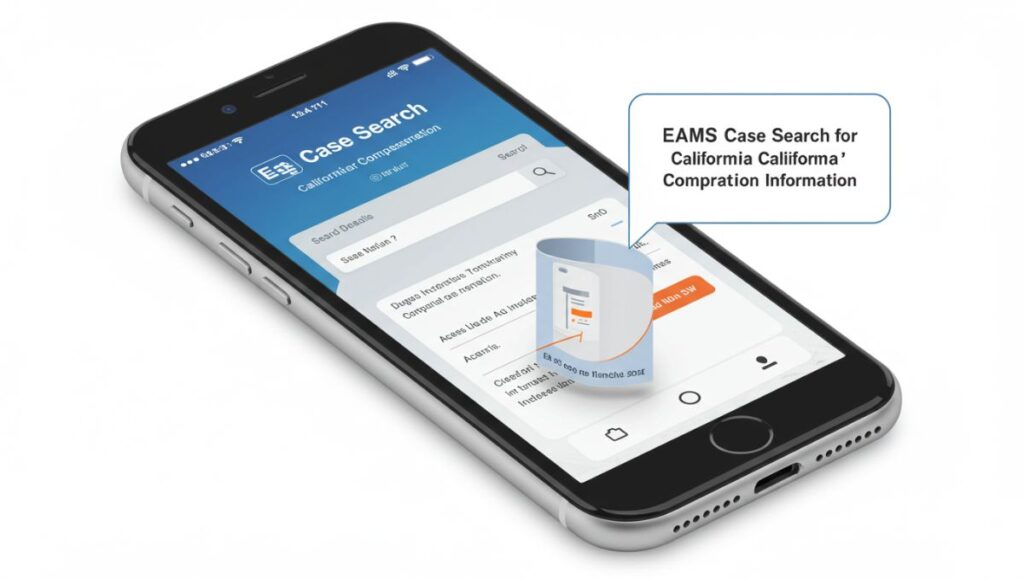
EAMS Case Search refers to the process of looking up cases within California’s Electronic Adjudication Management System (EAMS)—an online case management platform used by the Division of Workers’ Compensation (DWC) to handle workers’ compensation claims and disputes.
This system allows authorized users to search for case details, track filings, view hearing schedules, and monitor progress for workers’ compensation claims filed within California. Whether you’re a claimant, attorney, insurance representative, or employer, EAMS is an essential tool for accessing up-to-date case information.
What Is EAMS?
The Electronic Adjudication Management System (EAMS) is a digital case management platform launched by California’s Department of Industrial Relations (DIR) in 2008 to streamline and digitize the workers’ compensation adjudication process.
EAMS replaced a paper-heavy system and is used by:
-
Claims administrators
-
Law firms
-
Injured workers
-
Employers
-
Judges and DWC staff
EAMS improves efficiency, transparency, and accessibility by allowing electronic filing and case access.
Who Can Use EAMS Case Search?
EAMS Case Search is primarily available to:
-
Parties involved in a workers’ compensation case
-
Attorneys representing claimants or defendants
-
Claims administrators and insurers
-
Employers involved in a dispute
-
Authorized representatives
Some case information is restricted to protect privacy, but public access tools also exist for general case lookups.
How to Perform an EAMS Case Search
1. Access the Public Search Tool
For basic case information, the DWC provides a public search portal at:
You can search by:
-
Case Number (ADJ Number)
-
Party Name (employee or employer)
-
Date of Injury
-
Court Location
2. Search Using a Case Number
If you have the ADJ number (Application for Adjudication), you can directly search for a specific case. This is the most accurate method.
3. Search by Name and Date of Injury
If you don’t have a case number, enter the injured worker’s name and the date of injury to find matching cases. Make sure the name is spelled exactly as filed in the system.
4. Use OCR Forms for Filings
If you’re submitting or managing documents, you must use EAMS-compatible OCR (optical character recognition) forms, which ensure the system can process the paperwork correctly.
Information You Can Find in an EAMS Case Search
While the public search tool offers limited details for privacy reasons, you can typically find:
-
Case status (active, closed, etc.)
-
DWC district office is handling the case
-
Party names (applicant, employer, insurance carrier)
-
Hearing dates (if scheduled)
-
Assigned judge or case coordinator
Full case documents and sensitive details are only available to authorized users with secure login credentials.
EAMS vs. WCAB Online Tools
EAMS is often confused with other DWC platforms, such as:
-
WCAB Online Services (Case Viewer) – for more detailed access by registered parties
-
eForm Filers – users who submit forms and documents electronically using secure accounts
EAMS Case Search is primarily for lookups and case tracking, not for filing or document management.
Common Issues When Using EAMS Case Search
1. Name Mismatch
Even a minor spelling error or missing middle initial can cause the search to fail. Use the exact spelling from official documents.
2. Multiple Cases
Some individuals have multiple claims across different dates. Make sure to cross-reference the date of injury and case numbers.
3. No Public Access to Certain Info
Sensitive details like medical records or financial settlements aren’t viewable through public search tools.
Who Should Use EAMS Case Search?
-
Injured Workers: To track the status of your claim or check upcoming hearings
-
Attorneys: To manage client cases, filings, and deadlines
-
Employers: To stay updated on legal actions involving their workers
-
Claims Adjusters and Insurers: To verify documents, deadlines, and legal obligations
Benefits of Using EAMS Case Search
-
Real-time access to case status
-
Eliminates the need for in-person file reviews
-
Improves case management for legal and insurance teams
-
Supports transparency and faster resolution timelines
By digitizing case access, the DWC has made it easier to monitor and manage workers’ compensation disputes efficiently.
Privacy and Security Considerations
Although EAMS allows online access, it is designed with strong privacy protections. Sensitive documents, including medical records, are only visible to verified parties. Users are advised to:
-
Avoid sharing case numbers or personal info with unauthorized parties
-
Log out after searches, especially on shared devices
-
Use secure browsers and connections when accessing the platform
Final Thoughts
EAMS Case Search is an essential tool in the California workers’ compensation system. Whether you’re an injured worker, employer, attorney, or insurer, understanding how to access and use this system can save time, reduce errors, and improve your ability to manage legal or compensation-related tasks.
With both public access tools and secure systems for involved parties, EAMS continues to simplify how workers’ comp cases are handled in California.