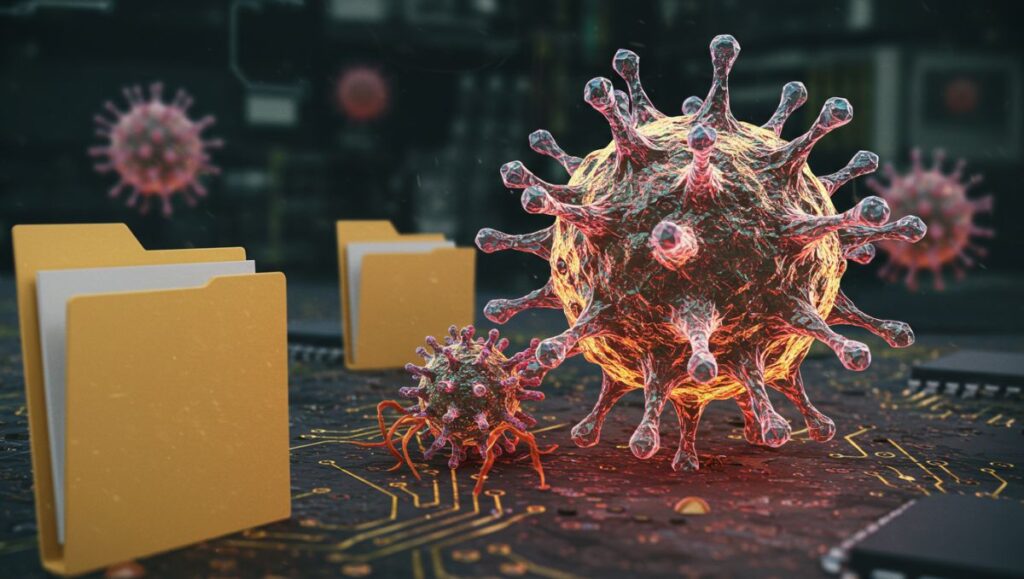
In the world of cybersecurity, computer viruses have evolved into one of the most dangerous digital threats to modern technology. Among these, one of the oldest and most persistent forms is the Infector Virus — a malicious program designed to attach itself to executable files or programs, replicating and spreading across systems.
An Infector Virus (also known as a file infector virus) modifies or “infects” legitimate files so that when these files are run, the malicious code executes alongside them. Over time, this infection can spread through an entire computer system or network, corrupting data, damaging software, and slowing down performance.
Though early examples date back to the 1980s, infector viruses remain relevant today — often embedded in downloads, email attachments, and compromised software. To understand their danger, it’s essential to explore how they work, the types that exist, and how to prevent them.
How an Infector Virus Works
Infector viruses operate by attaching their malicious code to executable files — typically those with extensions like .exe, .com, or .dll. Once a user runs an infected file, the virus activates and begins spreading.
Here’s a breakdown of their typical infection cycle:
-
Attachment – The virus attaches itself to a host program or file.
-
Activation – When the host program is executed, the virus code is triggered.
-
Replication – The virus copies itself to other files, folders, or connected devices.
-
Payload Execution – Depending on its design, the virus may damage files, corrupt data, or create backdoors for hackers.
-
Spread – It moves across systems via networks, USB drives, or shared files.
Some infector viruses are stealthy, going unnoticed for long periods, while others cause immediate and visible harm.
Types of Infector Viruses
There are several types of infector viruses, each defined by how they attach to files and spread. Understanding these variations is crucial for effective detection and prevention.
1. Direct Action Infector Virus
This is the most straightforward type. It infects files in the same directory where it resides, often targeting .exe or .com files. Once the host file is executed, the virus activates, performs its task (usually replication or corruption), and then goes dormant until the next execution.
-
Example: The Vienna Virus, one of the earliest file infectors.
2. Resident Infector Virus
A resident virus embeds itself into the computer’s memory. From there, it can automatically infect any file that the user opens, copies, or downloads. Because it stays active in the background, it’s harder to detect and remove.
-
Example: The Randex and CMJ viruses.
3. Multipartite Infector Virus
This type of virus infects multiple parts of the system — typically both files and the boot sector. It spreads rapidly and can reinfect cleaned files if not completely removed.
-
Example: The Invader and Flip viruses.
4. Overwriting Infector Virus
This virus overwrites the code of infected files, making them useless. It’s one of the most destructive types because it permanently damages data instead of merely attaching itself.
-
Example: The Trivial.88.D virus.
5. Macro Infector Virus
Although technically targeting document files rather than executables, macro viruses are a form of infector that use scripting languages like Visual Basic for Applications (VBA) to infect Word or Excel documents.
-
Example: The Melissa and Concept viruses.
How Infector Viruses Spread
Infector viruses can spread through a variety of methods — often exploiting human behavior and weak security practices. The most common infection vectors include:
-
Infected Email Attachments – Malicious files disguised as legitimate documents.
-
Software Downloads – Pirated or unverified software may contain infected executables.
-
Removable Media – USB drives, CDs, or external hard drives carrying infected files.
-
Network Sharing – File-sharing systems or corporate networks that lack proper security controls.
-
Exploited Vulnerabilities – Outdated software or unpatched operating systems.
Once introduced into a system, the virus can spread automatically, often without the user’s awareness.
Symptoms of an Infector Virus
Recognizing the early signs of infection is key to preventing further damage. Some common symptoms of infector virus attacks include:
-
Slower computer performance or frequent freezing.
-
Files or programs failing to open properly.
-
Unexpected pop-ups or error messages.
-
Increased CPU or memory usage.
-
Files with strange extensions or duplicated names.
-
Antivirus alerts or system warnings.
-
Sudden deletion or corruption of important files.
However, some infector viruses are stealthy — operating silently in the background while stealing data or spreading to other systems.
Examples of Notable Infector Viruses in History
Several infamous infector viruses have left their mark on computing history, showcasing both their destructive potential and how quickly they can spread.
1. Jerusalem Virus (1987)
One of the earliest and most widespread infector viruses, it activated every Friday the 13th, deleting files and slowing system performance.
2. CIH / Chernobyl Virus (1998)
A highly destructive multipartite virus that overwrote system data and, in severe cases, damaged the computer’s BIOS, rendering machines unbootable.
3. Virut Virus (2006)
A polymorphic file infector that opened a backdoor for hackers, spreading through both local and web-based networks. It infected millions of Windows systems globally.
4. Sality Virus (2003–present)
A sophisticated file infector that continues to evolve. It not only corrupts executables but also connects infected systems to botnets for remote control.
These examples demonstrate that infector viruses have evolved from simple nuisances to powerful cyberweapons capable of large-scale disruption.
Detection and Removal of Infector Viruses
Identifying and removing an infector virus requires a combination of antivirus software, system analysis, and preventive discipline. Here’s how security experts tackle infections:
1. Use Trusted Antivirus Software
Modern antivirus and anti-malware tools such as Bitdefender, Kaspersky, Norton, and Windows Defender can detect, quarantine, and remove file infectors. Regular updates ensure protection against new variants.
2. Perform Full System Scans
A complete system scan identifies infected files and removes or repairs them. In some cases, system recovery tools are required for severe infections.
3. Boot in Safe Mode
Safe Mode limits active processes, allowing for easier detection and removal of malicious files.
4. Restore or Reinstall Software
If files are severely corrupted, restoring from a clean backup or reinstalling software may be the only solution.
5. Keep Operating Systems Updated
Security patches close vulnerabilities that viruses exploit to spread or hide.
Prevention Strategies
The best way to deal with infector viruses is to prevent infection in the first place. Cybersecurity experts recommend the following best practices:
-
Install and Update Antivirus Software Regularly.
-
Avoid Downloading Pirated Software or files from untrusted websites.
-
Do Not Open Suspicious Email Attachments from unknown senders.
-
Backup Important Files Frequently using offline or cloud storage.
-
Disable Auto-Run on USB drives to prevent automatic infections.
-
Keep Your OS and Applications Updated to patch known vulnerabilities.
-
Educate Users and Employees about recognizing phishing and malware threats.
A combination of strong cybersecurity tools and informed users is the most effective defense.
The Modern Evolution of Infector Viruses
While classic file infectors primarily targeted standalone systems, modern versions have evolved to exploit networked and cloud environments. Today’s infector viruses often work as hybrid threats, combining multiple malicious components such as:
-
Trojan functionality – Stealing passwords or sensitive data.
-
Ransomware payloads – Encrypting files and demanding payment.
-
Botnet integration – Using infected machines to launch distributed denial-of-service (DDoS) attacks.
Moreover, advanced polymorphic and metamorphic viruses can change their code signatures each time they replicate, making traditional detection methods less effective.
This evolution highlights the importance of next-generation cybersecurity technologies like AI-based threat detection, behavioral analysis, and zero-trust security models.
The Impact of Infector Viruses on Businesses
For individuals, an infector virus can mean lost files and a slow computer. For businesses, the consequences are far more severe — including:
-
Data Corruption: Essential files and systems can become unreadable or permanently lost.
-
Operational Downtime: Infected systems may require restoration, halting productivity.
-
Financial Losses: Recovery costs, fines, and reputational damage can be substantial.
-
Information Theft: Viruses may steal confidential business or customer data.
-
Network Compromise: A single infected system can spread malware across an entire corporate network.
That’s why organizations implement endpoint protection systems and cyber hygiene training to mitigate risks before they escalate.
Infector Viruses vs. Other Malware
It’s important to differentiate infector viruses from other types of malware, such as worms, Trojans, and ransomware.
| Malware Type | Infection Method | Behavior |
|---|---|---|
| Infector Virus | Attaches to legitimate files | Activates when file runs, spreads to others |
| Worm | Self-replicating through networks | Doesn’t need a host file |
| Trojan | Disguised as useful software | Creates backdoors or steals data |
| Ransomware | Encrypts files | Demands payment for decryption |
Infector viruses remain unique because of their ability to corrupt legitimate programs and blend into everyday system activity.
Conclusion
The Infector Virus remains one of the most persistent and adaptive forms of computer malware. Though its basic structure dates back decades, its variants continue to evolve, blending with modern threats like Trojans and ransomware.
Whether you’re a casual user or a corporate IT manager, vigilance is your best defense. Regular system updates, strong antivirus protection, and safe digital habits can drastically reduce the risk of infection.
In the digital age, understanding how viruses like these work isn’t just technical knowledge — it’s digital self-defense. Staying informed and proactive ensures that your files, systems, and networks remain secure against one of the oldest yet most resilient cyber threats ever created.