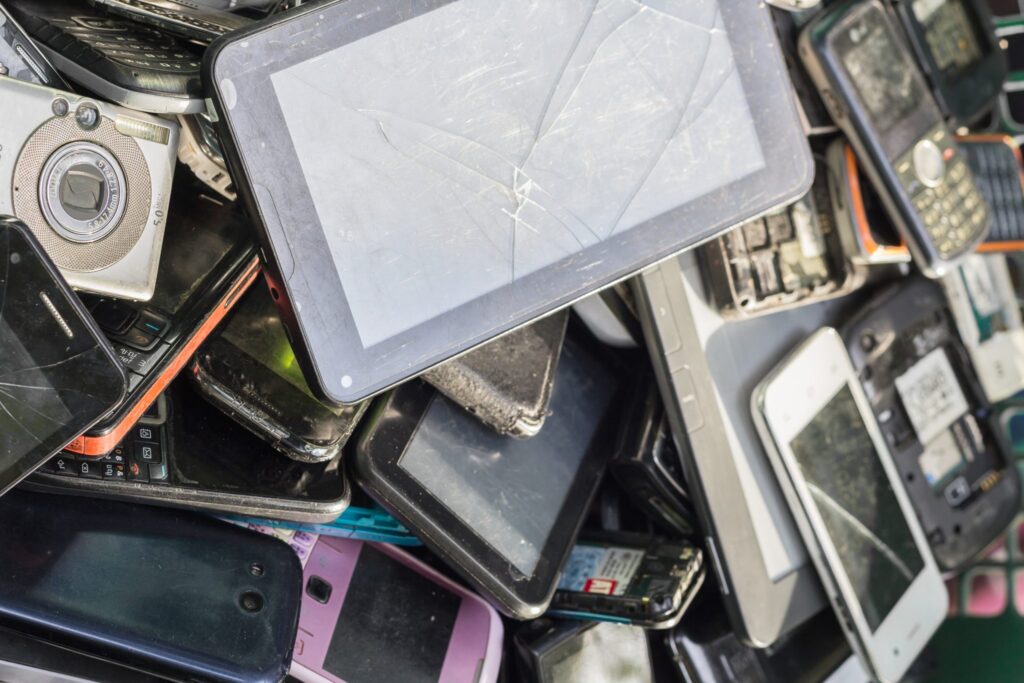
In a world where technology evolves rapidly, old digital storage devices often pile up unnoticed in homes and offices. From outdated laptops and USB drives to external hard disks, these devices may still contain sensitive personal or business data. Simply deleting files isn’t enough—without proper disposal, confidential information can easily fall into the wrong hands, leading to privacy breaches and identity theft.
To ensure data is permanently destroyed, consider secure disposal methods that go beyond standard deletion or formatting. Professional services specializing in mobile hard drive shredding NH offer a convenient and reliable solution by physically destroying drives on-site, preventing data recovery entirely. This approach not only safeguards sensitive information but also promotes responsible recycling, preventing harmful electronic waste from entering landfills.
Back Up Your Data
Backing up data before disposing of any device is essential to prevent the irreversible loss of important files, such as family photos and legal documents. A backup ensures business continuity and allows a smooth transition to new devices. Using data migration tools and cloud apps can simplify this process for all users. Organizations, particularly those in regulated sectors, must have formal backup and data retention policies to comply with data privacy regulations. Regular backups can prevent significant legal issues and save time in the long run.
Erase Data Securely
To securely delete data, simply deleting files or formatting the drive isn’t enough, as residual data can remain accessible. Using data-wiping programs like DBAN or Eraser, or built-in tools in Windows and Mac, can overwrite the entire storage, making data recovery very difficult. Hard drives benefit from multiple overwrites following standards such as DoD 5220.22-M. For flash storage and SSDs, standard overwrites don’t suffice; dedicated manufacturer tools or encryption should be employed, followed by a secure erase. Mobile devices should be fully factory reset with full-disk encryption whenever possible.
Physical Destruction
For those dealing with highly sensitive or legally protected information—such as client records, medical data, or trade secrets—physical destruction is the gold standard of secure device disposal. The risk of data recovery is virtually eliminated when the device is rendered physically unreadable. Recommended destruction methods include:
- Hard Drives: Remove the hard drive from its housing and strike the platters with a hammer, drill through them, or have them shredded by a professional service. Shredding services can pulverize hard drives into tiny pieces, making any data impossible to reconstruct.
- SSDs & Flash Drives: Because data is stored in microscopic chips, physically breaking apart the circuits with pliers or industrial shredders is the safest method. Even small USB flash drives can harbor significant amounts of private data.
- Optical Discs: Use a disc shredder or break the discs into multiple pieces to ensure that all information is irretrievable, as even partially damaged discs can sometimes be read.
Recycle Responsibly
Improper disposal of electronics can release hazardous substances into the environment. To mitigate this, individuals should utilize e-waste recycling centers or special collection events, preferably operated by certified recyclers following e-Stewards or R2 protocols. These recyclers ensure the safe dismantling, destruction of data, and recovery of valuable materials. Additionally, many manufacturers and retailers offer take-back or mail-in recycling programs, enabling consumers to comply with regulations while ensuring their privacy and security throughout the recycling process.
Consider Donation
If your old device still works, donation is a great way to extend its useful life and help others. Schools, non-profits, libraries, and charitable organizations often accept gently used computers, tablets, and smartphones, repurposing them for people who lack access to new technology. Before donating, ensure that you have entirely erased all personal data using the secure methods outlined above and restored the device to its factory settings for maximum privacy. Donating responsibly helps bridge the digital divide, reduces e-waste, and ensures that your former device has a meaningful second chapter.
Final Thoughts
Properly disposing of digital storage devices protects both personal privacy and the environment. By backing up important data, securely erasing files, and opting for professional shredding or certified recycling, individuals and businesses can ensure complete data destruction while supporting sustainability. Taking these responsible steps safeguards sensitive information and promotes a safer, cleaner digital world.