Many developers and testers still look for Safari for Windows to check cross-browser compatibility, even though Apple officially ended support with version 5.1.7 back in 2012. In 2025, access is still possible through old installers, virtualization, or cloud-based testing platforms.
Brief history of Safari for Windows
Apple’s 2007 release of Safari for Windows was an effort to maximize the market size of its well-known macOS browser in the Windows environment. Safari 3’s release boasted crisper rendering and faster speed than Internet Explorer, which was then the top browser for Windows.
Apple has made some serious progress with Safari for Windows over the years. Safari rolled out version 5.1.7 in 2012. Safari has improved its user base with incredible privacy support. Privacy features such as intelligent tracking prevention, as well as general security, put privacy at the forefront. This attracted organizations because they have to be concerned about privacy. It has a huge user base due to its focus on performance, simplicity of use, and good accessibility features. It also has a robust community and continues to be developed as it is based on the open-source WebKit engine.
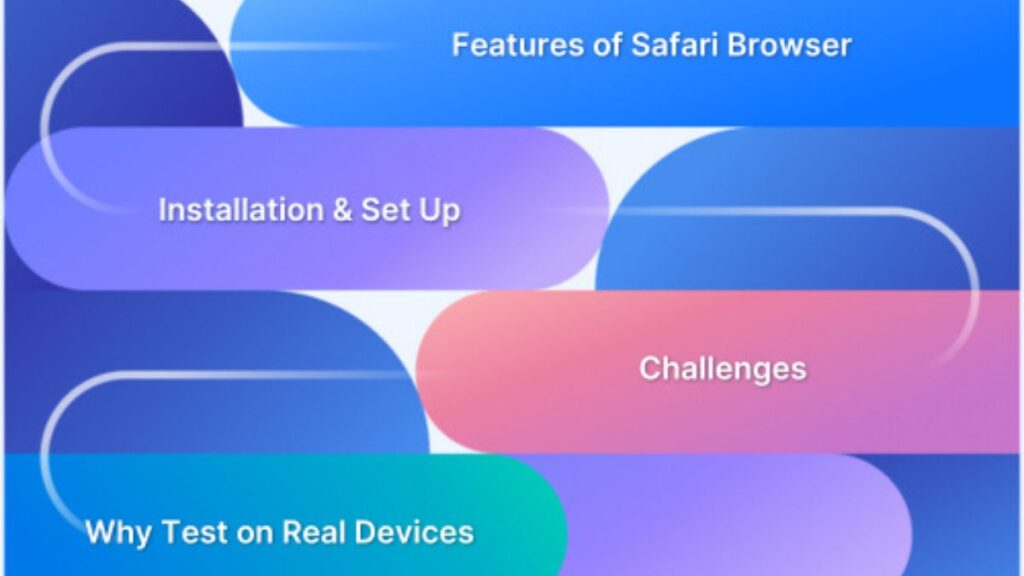
Features of Safari for Windows
When Apple released Safari for Windows in 2007, it aimed to recreate the same page-turning browsing experience of the Apple environment on the Windows platform. The key features are described below:
- Clean and minimal interface: In contrast to Internet Explorer’s complex interface, Safari for Windows provided a clean, uncomplicated design. This established a benchmark for modern minimalist browsers and allowed users to concentrate more on the content.
- Top Sites view: With the “Top Sites” feature, users can quickly access a visual grid of frequently visited pages, allowing them to navigate easily and visually. At the time, this was an innovative feature that influenced future browser designs.
- Private browsing mode: Many users first experienced private surfing with Safari for Windows, enabling sessions without saving history, cookies, or cache. This privacy-focused feature later became standard across browsers.
- Built-in search integration: Users could conduct Google or other search engine queries straight from the address bar without needing separate search sites, making online access more convenient.
- Tab management: Safari for Windows allowed smooth tab handling with quick previews and drag-and-drop support, enhancing multitasking efficiency for Windows users accustomed to more rigid tab systems.
- Reader mode: The Reader feature displayed websites in a clear, text-focused form by removing ads and distractions, which was particularly helpful for research and professional reading.
Even today, when conducting AI-driven test automation on cross-browser applications, ensuring compatibility with legacy browsers like Safari for Windows remains a useful consideration for comprehensive test coverage.
Why do developers or testers still need Safari?
Although Apple officially discontinued Safari for Windows several years ago, developers and testers still find ways to access it in 2025. There are several reasons why Safari remains relevant for testing:
- iOS and macOS market share: Safari is the default and most widely used browser on Apple devices. Any software or website that fails on Safari could potentially affect millions of users worldwide.
- Cross-browser compatibility testing: Ensuring that applications appear consistently across Safari, Chrome, Edge, and Firefox is critical. Because Safari uses the WebKit engine, it can expose issues that other browsers may not detect.
- Performance benchmarking: Safari’s optimizations for power efficiency and media playback can differ from other browsers. Testers measure performance to ensure smooth operation across devices.
- Rendering differences: Unlike Chromium-based browsers, Safari interprets CSS, HTML5, and JavaScript differently. Testing ensures layouts, animations, and interactive features function as intended.
- Responsive design validation: Safari includes tools to mimic how websites appear on Apple devices. Testers often leverage cloud platforms or virtual machines running Safari for Windows to verify cross-device consistency.
- Debugging Safari-specific bugs: Developers frequently encounter issues unique to Safari. Accessing it directly on Windows helps them detect and resolve these problems faster.
- Web standards compliance: Safari sometimes implements web standards differently or with delays. Testing ensures apps remain functional and compliant.
Even in modern testing workflows, combining legacy browser testing with AI-driven test automation helps QA teams efficiently identify and address browser-specific issues, ensuring robust and consistent user experiences across all platforms.
Challenges of using Safari on Windows
Even if Safari for Windows is accessible in 2025, its practical use is limited due to technical, security, and performance challenges. Apple no longer officially supports it, which restricts its utility for testers. Key difficulties include:
- Outdated official version: The last release of Safari for Windows was over a decade ago. It cannot accurately represent modern Safari behavior and lacks support for current web standards.
- Severe security risks: Legacy Safari versions are vulnerable to malware, phishing, and exploits. Testing should only occur in controlled and secure environments.
- Lack of updates: Without regular upgrades, Safari for Windows misses out on new features, performance improvements, and bug fixes available on macOS and iOS.
- Complex setup for virtualization: Running macOS virtual machines on Windows can be technically challenging due to licensing and hardware compatibility issues.
- Inconsistent testing environments: Variations in testing methods can lead to slightly different results, complicating standardization across QA teams.
- Compliance concerns: Enterprises may face restrictions when using unofficial or third-party methods, making Safari for Windows testing less straightforward for formal workflows.
Despite these challenges, integrating legacy browser testing with AI-driven test automation can help QA teams efficiently simulate and validate modern Safari behaviors, ensuring better coverage and reducing manual overhead.
How to Download and Use Safari for Windows in 2025
Even though Apple stopped supporting Safari on Windows after version 5.1.7, in 2025, developers, testers tried to run it on the Windows operating system. The most reliable methods are described below:
- Installing the Safari legacy version: Users can download the last official Safari for Windows release from archived repositories. Even though it is outdated and unsafe for regular browsing, it nevertheless allows basic testing of older webpages and rendering changes specific to Safari.
- Download Safari 5.1.7 (Archived version): Search for Apple’s last supported Windows release, Safari 5.1.7, from reliable software archives. Then install the software only from trusted sources like FileHippo, OldVersion, or Apple’s legacy links to avoid malware.
- Running macOS in a virtual machine: Using VirtualBox, VMware, or Parallels, testers can create a macOS virtual machine that will run a true version of Safari on Windows. In a properly contained virtual environment, testers are separated and also have access to the latest versions of Safari.
- Access Safari via cloud testing platforms: Instead of relying on outdated Safari for Windows installers, developers and testers can use cloud-based testing platforms to access real Safari browsers on macOS. This approach ensures accurate results without installation risks.
LambdaTest, a GenAI-native test execution platform, provides instant access to the latest Safari versions on real macOS environments. With support for 3000+ real devices, browsers, and OS combinations, it enables both manual and automated testing at scale.
Beyond browser availability, such platforms enhance QA workflows with AI-driven test automation, helping teams detect flaky elements, spot layout issues, and generate intelligent test reports. Features like responsive checks, live debugging, and comprehensive analytics simplify cross-browser testing for Safari, making it easier for Windows-based teams to ensure accurate validation on Apple devices.
- Remote access to macOS devices: Services like MacStadium or Mac-in-the-Cloud allow users with Windows machines to remotely access macOS systems. Users can run Safari just like they are working on a physical Mac – allowing for an authentic testing experience.
- Leveraging WebKit-based alternatives: Windows users can utilize alternative WebKit-based browsers, such as GNOME Web, to emulate Safari’s rendering behavior because Safari is driven by WebKit. Although they are not the same, this offers a simple way to verify layout consistency.
- Using iOS simulators or emulators: Developers can run iOS simulators through Xcode Cloud or third-party tools that include Safari. This method is especially valuable for mobile-first design and app web view testing directly from a Windows PC.
The Future of Safari on Windows
Since Apple has made no indication of bringing back native support for Microsoft’s platform, the future of Safari on Windows in 2025 is still uncertain. A standalone version of Safari for Windows will probably fail to appear again with Apple’s strategic focus on integrating Safari firmly with macOS, iOS, and its larger environment.
However, cloud-based systems like LambdaTest have successfully filled the gap left by the increasing need for cross-browser compatibility testing. This gives Windows users smooth access to authentic Safari settings. Additionally, assuring Safari compatibility without depending on out-of-date installers. It is becoming easier with the help of AI-driven testing automation. Developers and testers will therefore continue to rely on virtualization and cloud solutions for dependable access, even if Safari may never make a native comeback to Windows.
Conclusion
In conclusion, Safari for Windows can still be downloaded and used in 2025, but not with official or native support. The most practical approaches are virtualization and cloud-based solutions because the most recent archived version is out of date and unsafe.
With sophisticated AI-driven automation and real Safari access, platforms such as LambdaTest guarantee risk-free, accurate testing. Developers and testers can still obtain trustworthy compatibility validation using modern, safe, and effective alternatives. Even though Apple may never bring back Safari for Windows.