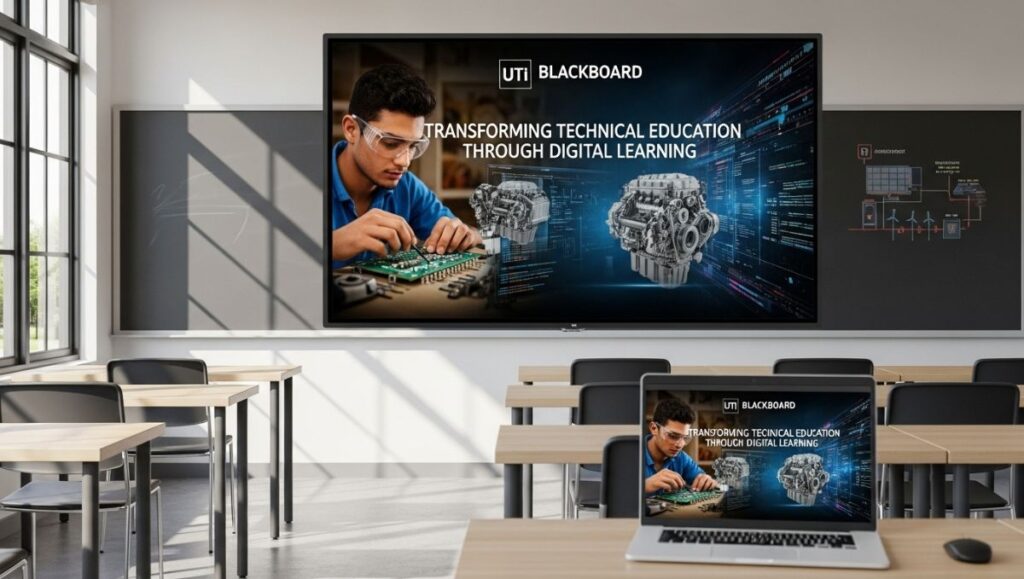
The world of education has changed dramatically in the past decade, and technology is at the heart of this transformation. Among the institutions leading this digital shift is the Universal Technical Institute (UTI) — a renowned name in technical and vocational education. To enhance the learning experience and make technical training more accessible, UTI developed a powerful online platform known as UTI Blackboard.
Designed as a digital learning management system (LMS), UTI Blackboard bridges the gap between hands-on training and online education, providing students and instructors with an innovative, flexible, and interactive environment for learning and communication.
1. What Is UTI Blackboard?
UTI Blackboard is the official online learning platform for the Universal Technical Institute. It enables students to access course materials, assignments, grades, and classroom updates from any location.
As a centralized hub for technical education, the platform helps UTI students stay engaged and organized, particularly those balancing coursework with hands-on lab sessions or external commitments.
By integrating modern e-learning tools and resources, UTI Blackboard ensures that education remains accessible, efficient, and student-centered.
2. The Purpose of UTI Blackboard
The core purpose of UTI Blackboard is to support blended learning — combining traditional, hands-on training with the flexibility of digital access.
Technical education often involves both theoretical knowledge and practical application. Blackboard allows students to review lessons, complete quizzes, submit assignments, and collaborate virtually — all while maintaining focus on their in-person training in UTI workshops.
The platform is also designed to enhance teacher-student communication, ensuring that instructors can track progress, provide feedback, and share important updates in real time.
3. The Technology Behind UTI Blackboard
The UTI Blackboard system is powered by Blackboard Learn, one of the most trusted e-learning management solutions in higher education.
This cloud-based system integrates advanced technology such as:
-
Responsive web design, ensuring mobile and desktop compatibility
-
Secure cloud storage for assignments and grades
-
Integration with tools like Microsoft Teams and Zoom for live sessions
-
Automated grading and feedback features
-
24/7 accessibility for students and staff
By utilizing this technology, UTI Blackboard delivers a consistent, high-quality learning experience both in and out of the classroom.
4. Key Features of UTI Blackboard
UTI offers a wide range of tools and resources designed to streamline education for technical students.
a. Easy Course Access
Students can log in to view course materials, lecture notes, and training videos anytime, anywhere.
b. Assignment Management
Assignments can be uploaded digitally, graded by instructors, and reviewed instantly — reducing paper usage and improving efficiency.
c. Discussion Boards
These forums allow students to collaborate, ask questions, and engage in peer discussions, creating a virtual classroom community.
d. Grade Center
Students can monitor their progress, view instructor feedback, and identify areas needing improvement.
e. Instructor Tools
Faculty members have access to advanced course creation tools, analytics dashboards, and communication systems to manage classes effectively.
5. UTI Blackboard Login and Navigation
Getting started with UTI is simple.
Step 1: Access the Login Page
Students can visit https://blackboard.uti.edu or navigate through the UTI student portal to reach the Blackboard login page.
Step 2: Enter Credentials
Each student receives a username and password upon enrollment. These credentials are used to access all Blackboard features.
Step 3: Dashboard Overview
Once logged in, the Blackboard dashboard displays a personalized interface with tabs for Courses, Announcements, Assignments, and Grades.
Step 4: Access Course Content
Students can click on any course title to open modules, view lessons, or participate in discussions.
This simple navigation system ensures that even first-time users can easily access the information they need.
6. Benefits of Using UTI Blackboard
UTI Blackboard provides multiple benefits for students, instructors, and the institution as a whole.
a. Flexibility and Convenience
Students can study from anywhere, making it ideal for those juggling part-time jobs, family responsibilities, or travel.
b. Improved Communication
With built-in messaging, announcements, and discussion boards, students stay updated on class activities and deadlines.
c. Enhanced Learning Experience
Multimedia lessons, quizzes, and interactive modules make complex technical concepts easier to understand.
d. Transparency and Feedback
Grades and progress are available in real time, allowing students to track their performance.
e. Sustainable Learning
By minimizing paper use and travel, UTI Blackboard supports a more eco-friendly approach to education.
7. UTI Blackboard for Instructors
While students benefit from access and convenience, instructors also gain significant advantages through UTI Blackboard.
Educators can:
-
Upload materials and lecture slides digitally
-
Grade assignments and provide feedback efficiently
-
Use analytics to track attendance and performance
-
Schedule exams and monitor submissions
-
Conduct virtual sessions for remote learners
This digital teaching environment allows faculty to dedicate more time to mentorship and practical instruction, while routine administrative tasks are streamlined through automation.
8. How UTI Blackboard Enhances Technical Learning
Unlike traditional classroom platforms, Blackboard is specifically designed for technical education programs such as automotive technology, diesel mechanics, collision repair, and welding.
The system integrates interactive simulations, diagrams, and tutorials, helping students visualize mechanical systems and repair processes before they apply them in the lab.
This hybrid learning approach — theory online, practice in workshops — maximizes understanding and prepares students for real-world applications.
9. Mobile Learning with UTI Blackboard App
In today’s on-the-go world, mobile accessibility is essential. UTI offers a dedicated mobile app that allows students to:
-
Access course materials
-
Submit assignments
-
Receive announcements and notifications
-
Participate in discussions
-
View grades instantly
Available on both Android and iOS, the Blackboard app ensures that learning never stops, even when students are away from campus.
10. Troubleshooting and Support for UTI Blackboard
Technical platforms occasionally face login issues, server delays, or browser compatibility problems.
To address this, UTI offers a dedicated Blackboard Help Center where students can find solutions to common issues like:
-
Password resets
-
Course access errors
-
Submission failures
-
Browser setup and updates
Additionally, UTI’s IT department provides 24/7 support, ensuring students and instructors always have assistance when needed.
11. UTI Blackboard and Career Readiness
Beyond the classroom, Blackboard also contributes to career preparation.
Through its digital platform, students gain experience using online collaboration tools, video conferencing, and virtual assessments — skills increasingly valued in modern workplaces.
The platform helps students develop time management, communication, and digital literacy — all critical competencies in technical industries like automotive repair, marine mechanics, and manufacturing.
12. UTI Blackboard’s Role During Remote Learning
During periods of remote learning or unexpected disruptions, UTI Blackboard proved to be an invaluable resource.
It allowed UTI to continue delivering lessons, holding assessments, and conducting virtual labs through recorded video modules.
This adaptability ensured that education continued uninterrupted — highlighting the platform’s importance in maintaining academic continuity.
13. Security and Privacy on UTI Blackboard
Security is a top priority for UTI. Blackboard uses encrypted connections, role-based permissions, and secure login authentication to protect student data and coursework.
All uploaded materials and grades are stored in protected cloud servers, ensuring compliance with institutional privacy standards and FERPA regulations.
14. The Future of UTI Blackboard
As technology continues to evolve, UTI is investing in expanding Blackboard’s capabilities. Future updates are expected to include:
-
AI-powered study recommendations
-
Interactive 3D modules for technical simulations
-
Enhanced integration with virtual and augmented reality tools
-
Personalized dashboards based on learning analytics
With these improvements, UTI will continue leading the future of digital technical education.
15. Student Tips for Success on UTI Blackboard
To make the most of UTI, students should:
-
Log in daily to check updates and deadlines
-
Engage in discussion boards for deeper learning
-
Use the mobile app for quick access
-
Keep software and browsers updated for compatibility
-
Reach out to instructors or support when needed
By actively using the platform, students can maximize their learning experience and stay ahead in their coursework.
16. Why UTI Blackboard Matters
Education today isn’t confined to classrooms. For technical institutions like UTI, digital tools are essential to prepare students for real-world challenges.
UTI represents the perfect blend of hands-on training and virtual learning — offering a model that other institutions can emulate.
It empowers students to take control of their education, learn independently, and build skills that go beyond textbooks.
17. Conclusion
In conclusion, UTI Blackboard is more than just an online platform — it’s a foundation for modern technical education.
By combining advanced digital tools with UTI’s tradition of hands-on training, Blackboard ensures students receive a comprehensive, flexible, and engaging learning experience.
As industries evolve and demand more tech-savvy professionals, UTI stands as a symbol of how education can evolve — empowering learners to connect, innovate, and succeed in a rapidly changing world.