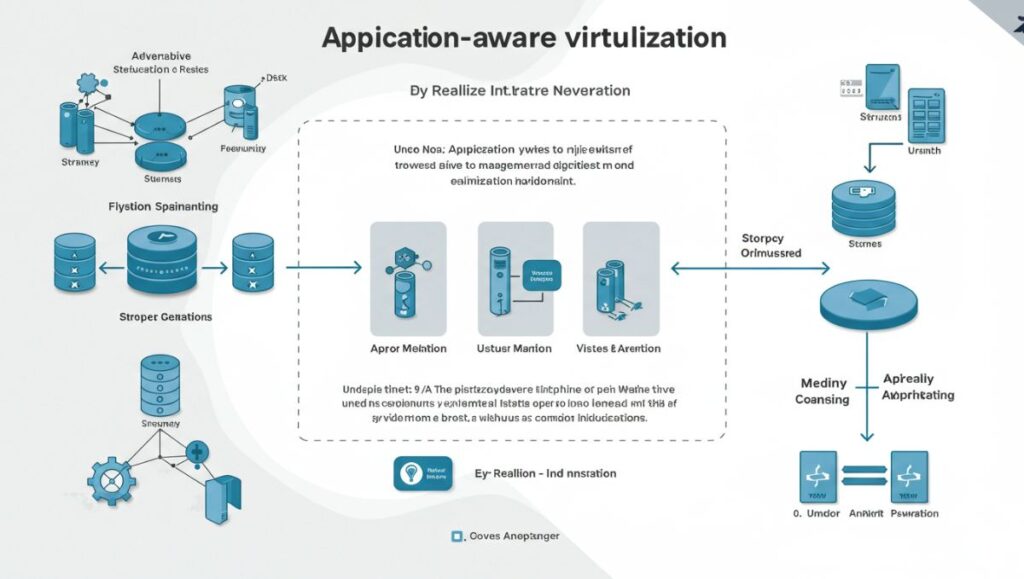
VRealize Infrastructure Navigator (vRIN) is a VMware tool designed to provide automated application discovery and real-time dependency mapping for virtualized environments managed through vCenter Server. It helps IT administrators and system architects understand how applications run across the virtual infrastructure, what dependencies they have, and how different virtual machines (VMs) communicate.
By integrating deeply with VMware vSphere, vRealize Infrastructure Navigator enhances infrastructure visibility, simplifies change management, improves compliance, and enables smarter decision-making during virtualization, migration, or disaster recovery planning.
Why vRealize Infrastructure Navigator Matters
Modern IT environments are complex and dynamic. Applications often span multiple virtual machines, services, and data sources. Without visibility into how these components interact, organizations risk:
-
Misconfigurations during VM migrations
-
Disrupting dependencies during upgrades or maintenance
-
Incomplete disaster recovery planning
-
Difficulty achieving compliance and audit readiness
vRealize Infrastructure Navigator eliminates these blind spots by making application dependencies visible, helping organizations plan infrastructure changes safely and intelligently.
Key Features of vRealize Infrastructure Navigator
1. Automated Application Discovery
vRIN automatically scans and detects applications running inside virtual machines. This includes popular enterprise software like:
-
Microsoft SQL Server
-
Oracle Database
-
Apache Web Server
-
IBM WebSphere
-
Microsoft Exchange
This means no more relying on outdated spreadsheets or manual audits.
2. Real-Time Dependency Mapping
One of the standout features is its ability to map application-to-application and VM-to-VM communication. These dependency maps are updated in real time, showing:
-
Network connections
-
Application ports and protocols
-
Internal service calls
This helps IT teams identify critical paths, communication patterns, and potential points of failure.
3. vCenter Integration
vRealize Infrastructure Navigator works as a plugin for vCenter Server, making it easy to access through the familiar vSphere Web Client interface. This tight integration allows you to:
-
Visualize dependencies directly in VM inventory
-
Use mapping data in other VMware tools
-
Link app topology with infrastructure changes
4. Change Impact Analysis
Before making any infrastructure changes, vRIN can simulate and analyze its impact on application services. For example, before decommissioning a VM or migrating it to another host, you can assess if it’s part of a larger application topology that may break.
5. Tagging and Classification
You can tag discovered applications and VMs based on function, business unit, or risk level. These tags improve compliance reporting and help organize large environments.
Use Cases for vRealize Infrastructure Navigator
1. Migration Planning
When moving applications from on-prem to the cloud, vRIN helps identify hidden dependencies to ensure nothing breaks during the transition.
2. Disaster Recovery Planning
Dependency maps are vital in creating effective DR runbooks. Knowing which VMs need to come online first (and what they depend on) is key to minimizing downtime.
3. Security and Compliance
With vRIN, you can see which VMs are talking to each other and ensure only necessary communications are allowed, helping with micro-segmentation and audit readiness.
4. Troubleshooting and Root Cause Analysis
If an application goes down, vRIN helps trace its dependencies and identify upstream or downstream issues, such as a failed database or unreachable service.
Architecture and Deployment
Prerequisites
-
vCenter Server (compatible version)
-
vSphere Web Client
-
VMware Tools installed on guest VMs
-
Correct network configurations to allow vRIN to query guest OSes
Components
-
vRealize Infrastructure Navigator Appliance – A virtual appliance deployed into the environment.
-
vSphere Web Client Plugin – Allows integration with the UI.
-
vPostgres DB – Stores the collected metadata.
Deployment Steps
-
Download and deploy the OVA file from VMware.
-
Register the plugin with the vCenter Server.
-
Configure credentials to access the VMs (service account with guest introspection privileges).
-
Let the tool scan and map the environment automatically.
Supported Applications and OSes
vRIN supports a broad range of enterprise applications and operating systems, including:
-
Operating Systems: Windows Server (2008, 2012, 2016), RHEL, SUSE, CentOS
-
Applications: IIS, MSSQL, Oracle, Tomcat, Apache, MySQL, Exchange, SAP, WebSphere
However, support for newer platforms may be limited as VMware has discontinued development and support for vRIN in later versions of vSphere.
Limitations of vRealize Infrastructure Navigator
While powerful, vRIN does have some constraints:
-
Only works within the vSphere environment—does not detect dependencies across cloud or non-VMware systems.
-
Requires VMware Tools for guest introspection.
-
No updates for recent vSphere versions – As of vSphere 7.0+, vRIN is no longer supported.
-
Limited visibility into encrypted or non-standard communication between applications.
These limitations have led many organizations to explore alternatives or move toward more modern VMware solutions like vRealize Operations + Network Insight.
End of Life and Replacement
As of recent VMware product lifecycle announcements, vRealize Infrastructure Navigator has reached End of General Support. It is no longer maintained or updated, and VMware now recommends vRealize Network Insight as a replacement for organizations that need modern application discovery and network dependency analysis.
Final Thoughts
vRealize Infrastructure Navigator was once a critical tool for VMware administrators looking to gain insight into application-to-infrastructure relationships. With its automatic discovery, real-time dependency mapping, and vSphere integration, it helped reduce risk and improve efficiency in managing virtualized applications.
However, as IT environments move toward hybrid and cloud-native platforms, modern tools like vRealize Network Insight offer broader capabilities and more relevant insights. For existing vSphere environments still running older versions, vRIN remains a valuable tool—but for future-proof planning, organizations should explore newer solutions.